
Google Merchant Center Product Data Specification: A Shopify Owner's Field Guide

The disapproval email arrives naming a field you have never typed in your life: [gtin], [item_group_id], or [identifier_exists]. You did not write those fields. Shopify built them from your product data and sent them to Google on your behalf, and now Google is unhappy with one of them.
Here is the reassuring part. The Google Merchant Center product data specification is a public document, not a secret standard. It lists every attribute Google accepts, the exact format each attribute takes, and the character limit it has to fit inside. Nothing in it is a matter of opinion. Once you can read it, a disapproval stops being a verdict and becomes a lookup: find the attribute in the notice, check its rule, fix the field in Shopify.
This guide walks through the specification the way a Shopify owner needs it: which attributes are required for every product, which ones become required only in certain situations, what changed in the 2026 update, and what a disapproval for each one actually looks like.
Key Takeaways
Seven attributes are required for every product:
id,title,description,link,image_link,availability, andprice.Price and availability must match your landing page, your structured data, and your checkout. These two are the strictest fields in the specification, because a mismatch on either one gets the product removed without warning.
Never guess a GTIN or MPN. Google's documentation states that an incorrect value gets the product disapproved, so a guessed identifier is worse than no identifier.
The 2026 update added
handling_cutoff_time,minimum_order_value, andvideo_link, and raised the minimum image size to 500 x 500 pixels, with enforcement starting January 31, 2027.
What the product data specification actually is

The product data specification is Google's master reference for the product data your store submits to Merchant Center. It defines every attribute, marks each one as required, optional, or required only in certain conditions, and sets the format rules: character limits, accepted values, and how each value has to be written.
Think of each attribute as a promise about your product. price promises what the buyer will pay. availability promises the item is actually in stock. image_link promises the picture shows the real product. Google crawls your landing page and compares each promise against what the page shows. When the promise and the page disagree, Google removes the product from Shopping results.
That framing explains most of what looks arbitrary about the specification. Character limits exist so listings display properly. Fixed value lists exist so in_stock means exactly the same thing for every merchant on the platform. The matching rules exist because a shopper who clicks a listing that promises $49 and lands on a page charging $54 has been misled, whether or not anyone intended to mislead them.
Two practical conclusions follow. First, the specification is public and checkable in advance, so no disapproval ever needs to be a mystery. Second, product data problems that pile up across many products stop looking like isolated mistakes to Google and start looking like a store whose listings cannot be trusted. That shift is how individual product disapprovals grow into an account-level Merchant Center suspension, which stops every product at once.
The seven attributes every product must have
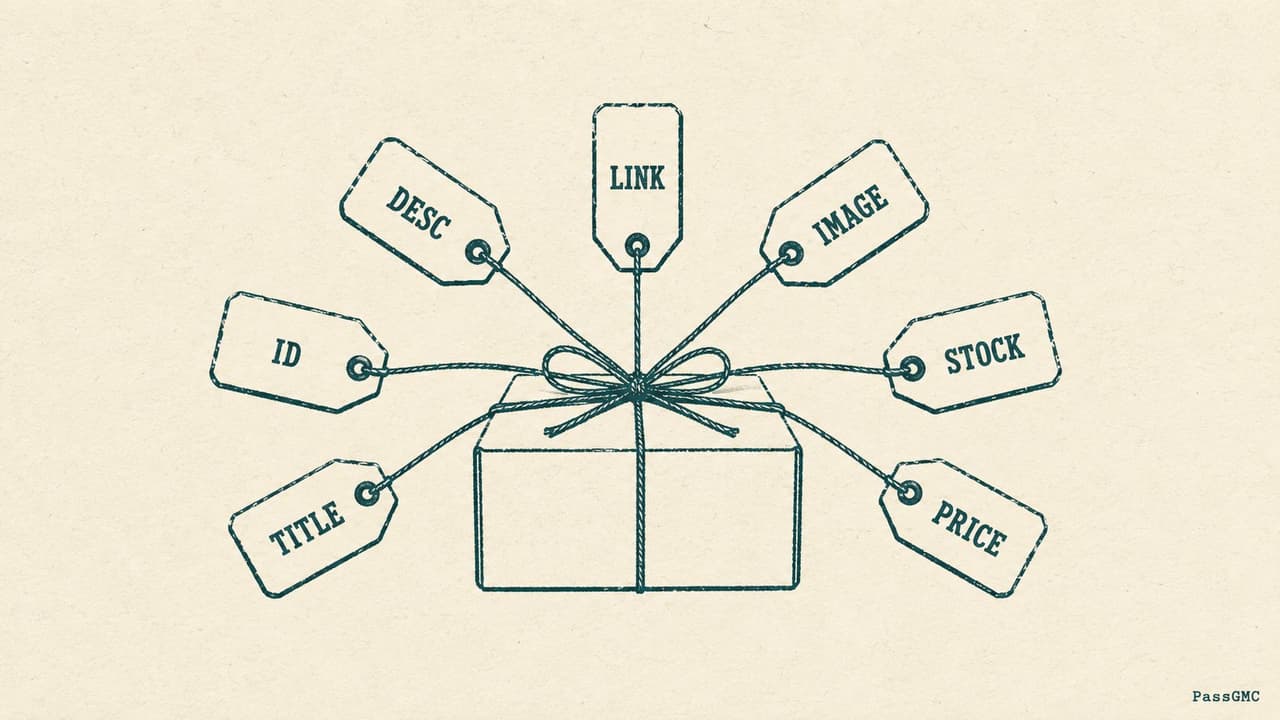
These seven are required for all products, in every country, with no exceptions. If one is missing or breaks its format rule, that product does not show on Google.
Attribute | Format and limit | What happens when it is wrong |
|---|---|---|
| Maximum 50 characters, unique for each product | If two products share an ID, one overwrites the other. Google advises using the product's SKU as the ID and never changing it once set |
| Plain text, maximum 150 characters | Titles containing promotional text such as "free shipping", all capital letters, or gimmicky foreign characters get the product disapproved. The title must also match the title shown on your landing page |
| Plain text, maximum 5,000 characters | The description may contain only information about the product. Promotional text and links to your store are not allowed, and the description must match your landing page |
| Must start with http or https | The URL must use your verified domain name, and it must lead directly to the product page. An interstitial page (any page shown before the real product page) is not allowed unless the law requires one |
| Must start with http or https | Images containing promotional text, watermarks, or borders get the product disapproved. So do placeholder images and generic images that do not show the actual product |
| Exactly one of: | The value must match your landing page, your checkout, and your structured data. If the page says sold out while the feed says |
| A number plus an ISO 4217 currency code (for example USD) | The price must match your landing page, your structured data, and your checkout, and the product must actually be purchasable online at that exact price |
Two of these deserve extra attention.
Price and availability are the strictest fields in the entire specification. They are the only two attributes where a mismatch with your landing page triggers what Google's product data quality documentation calls preemptive item disapproval. Preemptive means Google removes the listing first and lets you fix it afterwards. There is no warning step, because these two fields are about money and stock, and Google protects shoppers on those before anything else.
Title and description carry writing rules, not just length rules. The specification explicitly prohibits promotional wording, all capital letters, and gimmicky characters in titles. Those title rules come from the same rulebook as Google's editorial and professional requirements, and they catch many Shopify stores whose product titles were written to persuade shoppers on the storefront (capital letters for emphasis, the word SALE in the title, decorative symbols) rather than to satisfy a data specification.
The attributes that are required only sometimes

This group causes the most confusion, for a simple reason: a store can run for a year without ever needing one of these fields, and then trip over it the moment the store adds a variant, a used item, or a t-shirt.
Attribute | When it becomes required | Format |
|---|---|---|
| Required for nearly all new products. The exceptions are movies, books, and musical recordings | Maximum 70 characters |
| Strongly recommended whenever the manufacturer assigned one | Numbers only, no dashes or spaces, up to 14 digits per value |
| Required when the product has no manufacturer-assigned GTIN | Maximum 70 characters |
| Required if the product is used or refurbished | Exactly one of: |
| Required for products with variants in the US and several other countries, and required for free listings | Maximum 50 characters |
| Required when availability is set to | ISO 8601 date format, no more than one year in the future |
| Required for apparel products in certain countries, and for free listings in the Apparel and Accessories category | Each has its own accepted values and limits |
| Required when material or pattern is what distinguishes one variant from another | Maximum 200 and 100 characters |
item_group_id is the one that catches US Shopify stores by surprise. The moment a product has variants, every variant must carry the same group ID. The group ID is what tells Google that these listings are one product in different variations (the same shirt in three sizes) rather than several near-duplicate products competing with each other. Google recommends using the parent SKU as the group ID and keeping it unchanged.
The apparel attributes catch stores that do not think of themselves as clothing stores. A store that sells one branded t-shirt alongside its main catalog inherits the full set of required apparel fields for that product: color, size, age_group, and gender, each with its own list of accepted values.
Identifiers: GTIN, MPN, and the one mistake that guarantees a disapproval
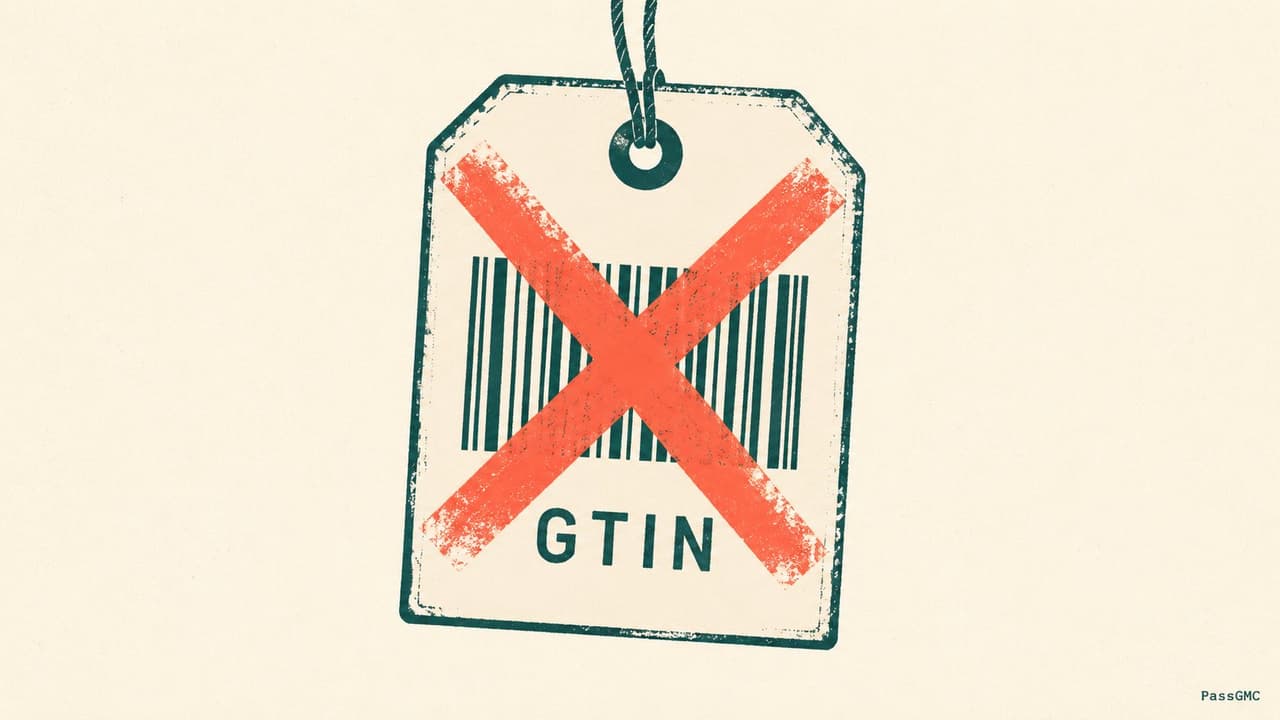
Identifiers tell Google exactly which product you are selling, so Google can match your listing against the same item sold elsewhere. The rules are short, and the penalty for breaking them is written directly into the specification.
Submit a GTIN when the manufacturer assigned one. The GTIN is the product's barcode number. Google's GTIN documentation calls it strongly recommended wherever one exists.
Never invent one. The specification says: only provide a GTIN if you are sure it is correct, and if you submit a product with an incorrect GTIN value, your product will be disapproved. The same rule applies to MPN. A guessed identifier is always worse than a missing one, because a guessed identifier actively claims your product is a different product.
If the product genuinely has no GTIN, submit brand and mpn instead. This is the normal, fully compliant path for private-label, own-brand, and handmade goods.
There is also a field called identifier_exists. Submitting it with the value no tells Google explicitly that this product has no GTIN, MPN, or brand identifiers at all. If you do not submit this field, Google assumes the default value of yes, which means Google expects identifiers to be present.
Do not fill brand with filler text. The specification names the exact strings it rejects: "N/A", "Generic", "No brand", and "Does not exist". If a product truly has no brand, leave the field empty instead of writing a placeholder into it.
The classic own-brand mistake is pasting a supplier's barcode onto a product you have rebranded as your own. That barcode identifies the supplier's product, not yours. Leave the barcode field empty and let brand plus mpn identify the product instead.
Product type and Google product category are not the same field
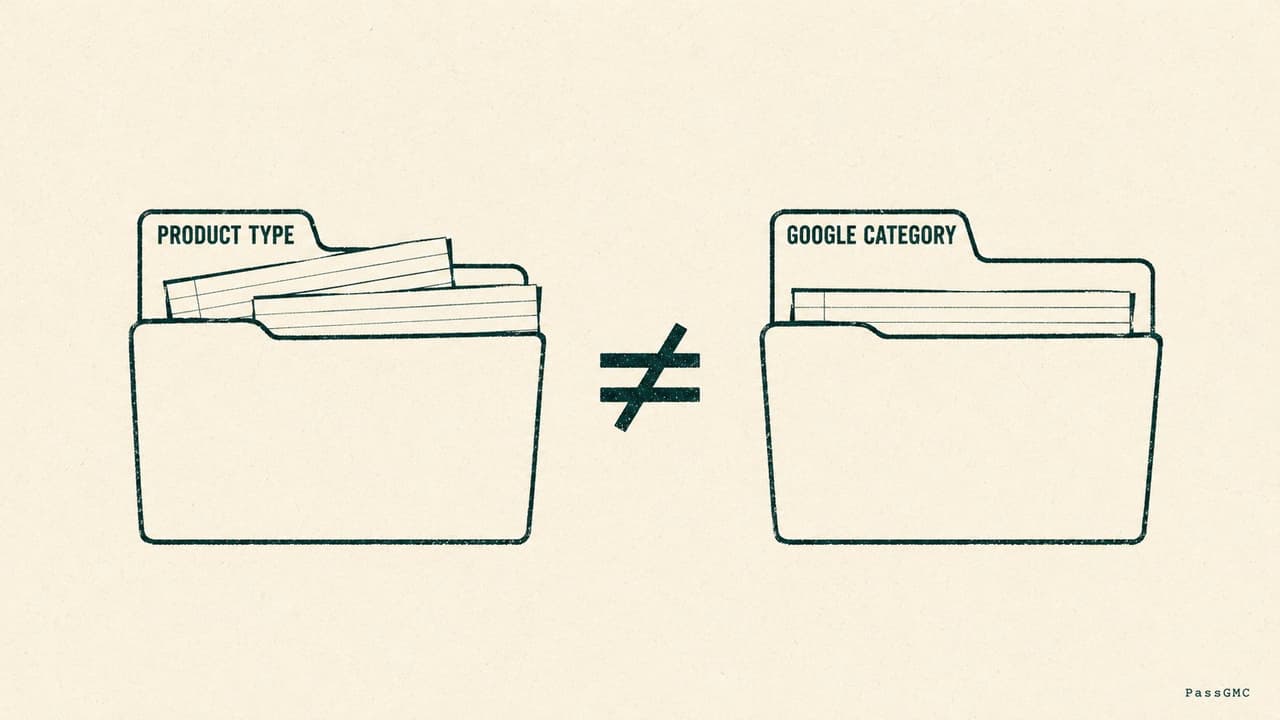
These two fields get confused constantly, because both sound like they answer "what kind of product is this". They answer it for different audiences.
google_product_category uses Google's own fixed category list. You pick one category from that list, and it tells Google's systems what your product is in Google's own vocabulary. The specification's advice: include only one category, choose the most specific one that fits, and submit either the full category path or its numeric ID, not both. Google recommends the numeric ID.
product_type is your own category description, written in your own words, up to 750 characters. The specification notes that only the first product_type value is used to organize bidding and reporting in Google Ads Shopping campaigns.
Both fields are listed as optional in the specification, and that word misleads people into ignoring them. Skipping them does not violate any rule. It does mean two concrete things: Google's systems guess the category for you, and your future Shopping campaigns lose the reporting structure that product_type would have provided.
What changed in the 2026 specification update

Most articles on this topic describe the specification as it stood a year ago. Google published a product data specification update for 2026 that adds new attributes and sets three dates worth putting in your calendar.
Date | What happens on that date |
|---|---|
April 14, 2026 | The new shipping attributes and |
June 30, 2026 | Videos submitted through |
January 31, 2027 | Enforcement of the 500 x 500 pixel minimum image size begins, for both |
The new attributes, in plain terms:
handling_cutoff_timesets a daily deadline for processing online orders, so that delivery estimates reflect when an order actually ships.minimum_order_valuestates the minimum spend required to purchase and ship an order.video_linkis an optional field for submitting links to product videos.loyalty_program_labelandloyalty_tier_labelare new sub-fields undershipping, used to offer loyalty shipping benefits on individual products.
The image change is the one that will catch real stores. The minimum size for product images is now 500 x 500 pixels in every category. Google states it will automatically optimize some undersized images, and that merchants can replace those automatically optimized versions with larger originals. The safe course of action is direct: find every product image smaller than 500 x 500 pixels and replace it before January 31, 2027, because after that date those images stop being accepted. Google's own preparation advice is to check the "Needs attention" section in Merchant Center, along with "View history", to find the affected products.
What Shopify sends for you, and what it cannot send

Your Shopify catalog reaches Merchant Center through the Google & YouTube app, which converts your Shopify product fields into the attributes described above. Most of the specification is handled for you automatically. The gaps are specific, and they are worth knowing by name.
Shopify's product syncing documentation states that before a product can sync at all, it needs four things: a description, at least one image, availability on both the Online Store and the Google & YouTube sales channels, and either a barcode (which becomes the GTIN) or a brand name plus a Manufacturer Part Number.
That last requirement is the identifier rule from earlier in this guide, enforced by Shopify before the product ever reaches Google. A product with an empty barcode field and an empty vendor field cannot satisfy it, so it will not sync.
The failure patterns Shopify itself lists are the same ones the specification describes: missing descriptions or images, unavailable landing pages, missing GTIN or MPN identifiers, promotional overlays on images (text, logos, watermarks, and badges), and excessive capitalization in titles.
To diagnose any single product, open that product in your Shopify admin, find the Sales channels section, and click Google. The errors listed there name the specific attribute that failed, which is the fastest diagnosis available anywhere.
One boundary note. This guide covers the specification itself: the attributes, their formats, and their rules. The separate question of keeping a whole catalog synchronized over time, including prices drifting during sales and variant links pointing at the wrong variant, is covered in our guide to keeping your product feed clean. Read that one next if your data is correct but keeps going stale.
How to read a disapproval notice
A disapproval always names the thing that failed. Reading the notice properly turns a vague scare into a short repair job. The sequence:
Find the attribute in the message. Merchant Center reports each issue against the specific attribute that failed, usually written in brackets, such as
[image_link]or[gtin], together with the affected product and the data source the product arrived through. If you run a single Shopify store, that data source is simply the feed the Google & YouTube app created. The feed's name appearing in the notice does not mean the feed name is the problem. It is a label telling you where the product came from, nothing more.Look up the attribute's rule. Use the tables in this guide or the specification page itself. Every attribute has one correct format, and the notice is telling you which promise failed.
Fix the data in Shopify, not in Merchant Center. Shopify is the source that the sync reads from. A correction made only in Merchant Center gets overwritten the next time the app syncs.
Know the point where this stops being routine. A handful of disapproved products is ordinary catalog maintenance. Systematic product data problems trigger something different: Google's quality documentation describes a warning email, a 28-day window to fix the data, and potential suspension of the whole account if it is not fixed. That is the line where a data problem becomes a business problem.
Check your product data before Google does
Everything in this specification can be checked from outside your store, which is exactly how PassGMC checks it. The scanner reads your product pages the way Google's crawler does: price agreement between your listing and your page, availability signals, image problems including promotional overlays, title and description text measured against the editorial rules, and the consistency between what your listings claim and what your pages show. It runs 46 checks and returns a prioritized fix list, with the exact Shopify admin path for every fix.
The free headline scan takes about a minute and needs no sign-up. Run it before Google's next crawl runs the same comparison.
Quick answers
What are the required attributes in the Google Merchant Center product data specification?
Seven attributes are required for every product: id, title, description, link, image_link, availability, and price. Beyond those seven, brand is required for nearly all new products, and the identifier, condition, variant, and apparel attributes become required depending on what you sell.
Why is my product disapproved when the data looks correct?
The most common cause is a mismatch rather than a missing field. Price and availability must match your landing page, your structured data, and your checkout, and these are the only two attributes where Google removes the product preemptively on a mismatch. Check the exact variant page a shopper lands on, not just the product's default page, because the mismatch often lives on the variant.
Do I need a GTIN for every product?
No. Submit a GTIN wherever the manufacturer assigned one. For products that genuinely have none, such as own-brand or handmade goods, submit brand plus mpn instead. Never guess a value: Google's documentation states that an incorrect GTIN or MPN gets the product disapproved.
Want your product data checked against the specification in about a minute? Run a free PassGMC scan and see exactly which attributes need attention.
See where your store stands, free.
Run a free headline scan and get your readiness score in about a minute. No sign-up needed to see it.
Scan my store